

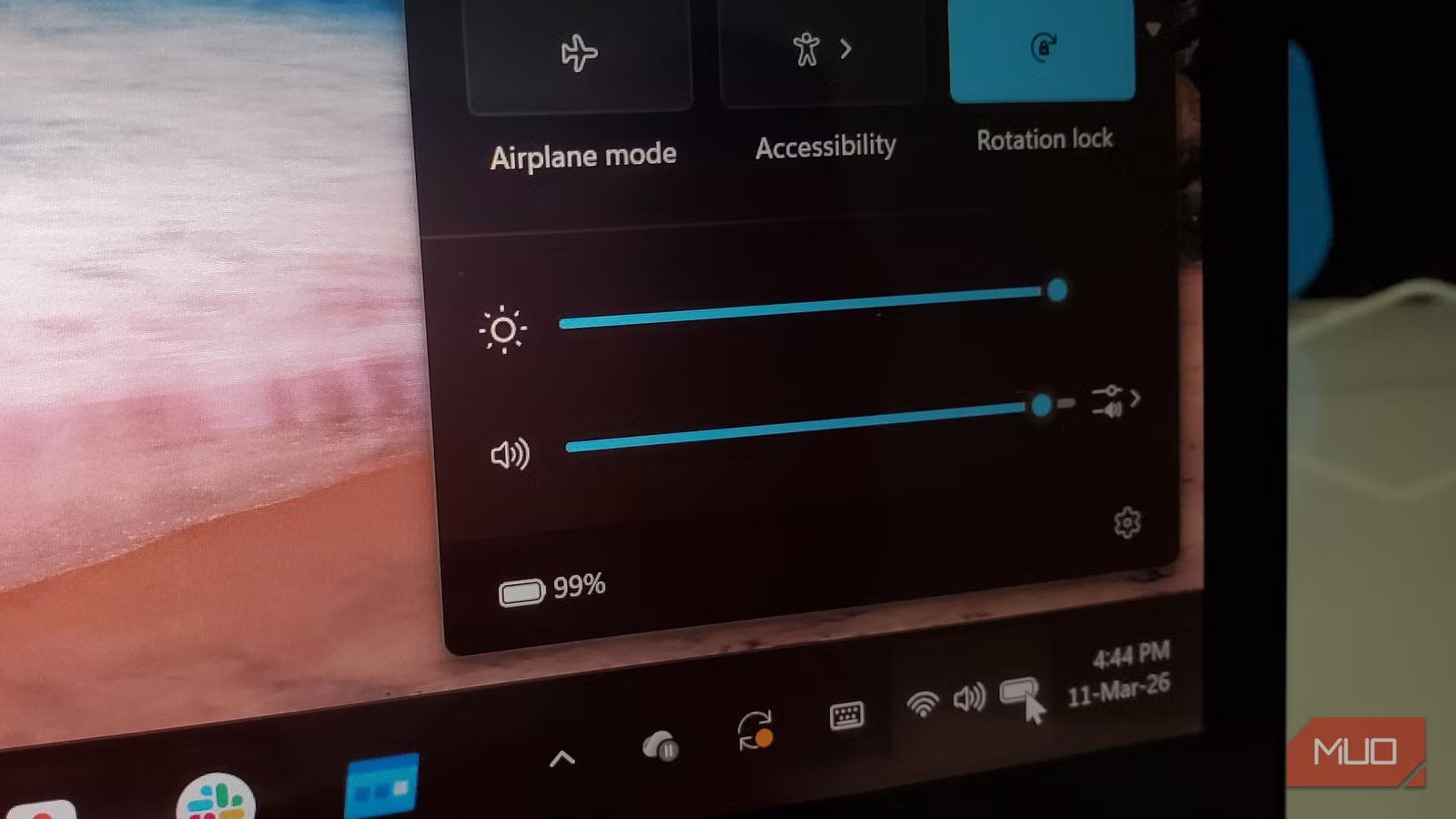
You unplug your laptop at 100%, and within the first twenty minutes, it’s already at 85%. Then, strangely, it seems to crawl from 60% down to 30% over the next two hours without much drama. Does it sound familiar?
It’s one of those small, persistent mysteries that makes you pause and wonder if the battery is already wearing out or if that “premium” laptop you bought isn’t as premium as it claimed to be. The reassuring truth, though, is that there’s almost certainly nothing wrong. Your battery is doing exactly what lithium-ion chemistry dictates. Once you understand the science behind it, you’ll see that the steep early drop isn’t a malfunction but a fascinating quirk of modern engineering.
Your laptop battery doesn’t drain evenly
It follows a curve that front-loads the drop
To understand what’s really going on, you have to forget the mental image of a battery as a tank of water slowly draining at a steady rate. Lithium-ion batteries don’t behave that way. Unlike old lead-acid batteries, the kind that power your car’s starter motor, they hold a fairly stable voltage through most of their discharge cycle, then fall off sharply near the end. Interestingly, there’s a similar steep region at the top of the curve as well.
Credit: Fabian Cheruiyot / Davies Rene Segera / ResearchGate
If you look at the lithium-ion discharge graph above, you’ll see three distinct regions. The first occurs right at the start of discharge: a non-linear “voltage drop-off” where the cell settles from its peak charging voltage. The second is a long, nearly flat plateau in the middle. The third, near depletion, is the “knee” of the curve where the voltage plunges.
What this means, in plain terms, is that your battery’s voltage swings rapidly when it’s nearly full or nearly empty — but holds relatively steady during the long middle stretch. Because your laptop uses voltage as its primary signal for estimating remaining life, these swings confuse the software. When the voltage drops quickly at 95%, the measurement circuits interpret it as a fast loss of capacity. You aren’t actually losing energy faster at 95% than at 60%; the chemistry is just “settling” in a way that looks like a drain to the sensors.
I find this clever, in a counterintuitive way. The same flat curve that makes lithium-ion so useful, giving your laptop consistent power delivery for hours, is precisely what makes the percentage readout look deceptive at the edges. It’s a trade-off baked into fundamental physics, not a flaw in your device.
Related
8 Common Misconceptions About Mobile Device Batteries You Need to Know
Let’s strap in and clear the air about some of these commonly-held mobile battery myths.
The battery percentage on your screen is a sophisticated estimate
And it gets shakier near the extremes
Credit: Oluwademilade Afolabi / MakeUseOf
Here is the second layer of the puzzle: that little percentage sitting in your system tray isn’t a direct measurement. No sensor inside the battery can actually see how much energy is left. Your laptop is making an educated guess. Batteries are electrochemical systems that change slightly with each charge cycle, so they never behave the same way twice.
To arrive at that percentage, most laptops combine two different techniques. The first is voltage lookup, where the system compares the battery’s voltage, think of it as internal pressure, against a known discharge curve. The second is coulomb counting, which tracks the flow of energy in and out of the battery over time. It’s a bit like counting grains of sand as they move through an hourglass. Accurate for a while, but small errors inevitably accumulate. The system tries to correct those errors using voltage readings, but the twist is that the voltage curve itself becomes a moving target as the battery ages.
Related
Your laptop battery won’t last long if you keep doing these things
You’re not cursed with bad battery life.
The irony of this estimate is that the long, flat middle portion of the battery’s discharge curve, where the voltage barely changes, is actually the hardest part for the system to estimate charge. There isn’t much signal to work with. So the software leans heavily on its internal math during this stretch. It’s only near the steep edges of the curve, when the battery is almost full or nearly empty, that the voltage changes enough for the laptop to recalibrate its estimate. That’s why your battery percentage sometimes seems to jump or tumble at the end of a charge. The model within the system has finally met reality.
This is also why an aging battery seems to lie. As capacity drops, the fuel gauge tries to adapt, but if it hasn’t been recalibrated recently, it may still be measuring against the ghost of its original design. To get the truth, check the battery cycle count on your Windows laptop to see how far it has strayed from its factory specs. It reports 100% because the “bucket” is full, even if that bucket is now half the size it used to be.
There’s something almost human about that. We all carry around an internal model of our own stamina that’s based on how things used to be. Then one day, we hit a wall sooner than expected and realize the limits have moved.
Understanding this quirk can change how you charge
Once you understand the curve, a few practical habits start to make a lot more sense. The most impactful one is to avoid the extremes altogether. When lithium-ion batteries are not used for a prolonged period, store them at 40–50% charge to minimize calendar aging and self-discharge. Speaking more broadly, keeping your battery in the middle of its range — say, between 20% and 80% — avoids the very zones where both chemical stress and estimation inaccuracy peak, making it the easiest way to keep your laptop battery healthy for a long time.
Many laptop manufacturers now build this into their battery health settings; Apple, Lenovo, and Dell all offer modes that deliberately stop charging at 80% for exactly this reason. If you notice the drop from 100% feeling unusually dramatic, or if your laptop shuts down unexpectedly at 20%, it may also be worth calibrating your laptop battery for accurate readings. Over time, after hundreds of small charges and top-ups, the gauge can start to get confused; it forgets what a true 100% feels like, and loses track of where 0% actually is. A full discharge-recharge cycle gives the system the data it needs to re-anchor its estimates. This won’t restore lost chemical capacity, but it does make the readout trustworthy again.
